What “Smart Home Ready” Wiring Actually Means When You’re Building or Renovating
It’s not about buying smart devices. It’s about making sure the walls behind them can actually support what you want to do.
“Smart home ready” gets thrown around a lot in building and renovation conversations, but it rarely gets explained. Most homeowners assume it just means buying the right gadgets: a smart speaker here, a video doorbell there. In reality, the gadgets are the easy part. What determines whether a smart home works well long-term is the wiring and infrastructure decisions made before the plasterboard goes up, when access is cheap and easy, rather than after, when every change means cutting into a finished wall. Here’s what “wired for smart home” really covers.
It starts with data cabling, not Wi-Fi
A lot of homeowners assume that if they’ve got a good Wi-Fi router, the house is covered. But Wi-Fi has to travel through walls, floors, and whatever else is in the way, and every smart device added to a network (cameras, hubs, TVs, alarm panels) adds more competition for that same wireless bandwidth.
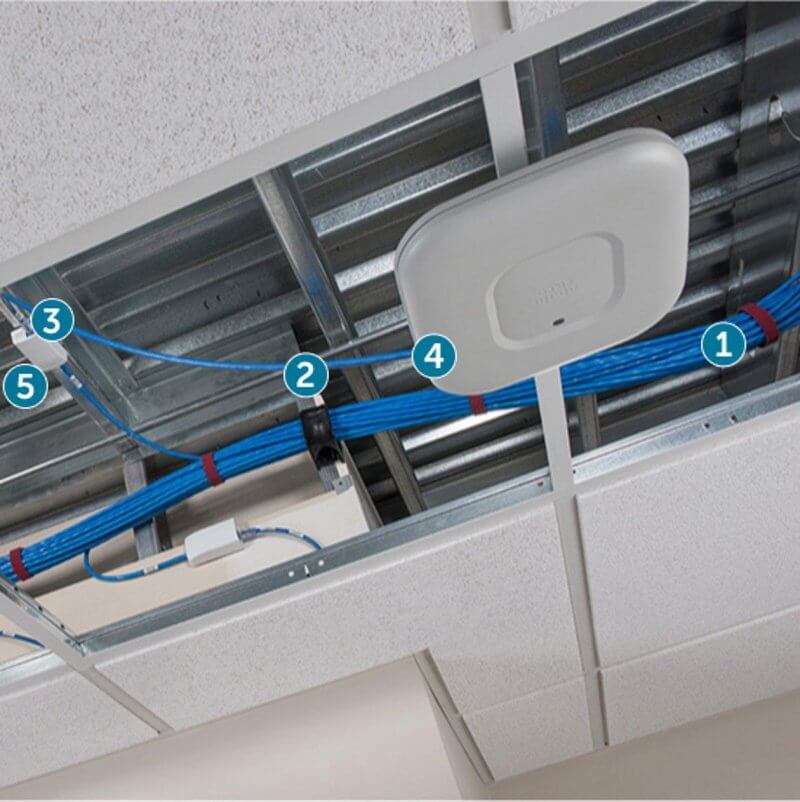
Running structured data cabling (commonly Cat6 or Cat6A) to key fixed points during the build gives those bandwidth-heavy devices a wired connection instead. Good spots include the home theatre, main living areas, a home office, and the location of your Wi-Fi access points themselves. That frees up Wi-Fi capacity for phones, tablets and everything that actually needs to be wireless.
Wi-Fi access point locations are a wiring decision, not an afterthought
Larger or multi-storey homes usually need more than one Wi-Fi access point to get even coverage. A single router in a study at one end of the house will always leave dead zones at the other.
Deciding where those access points will sit, and running a data cable to each location during construction, means they can be mounted cleanly in a ceiling or wall point rather than sitting on a shelf with a visible cable. This is one of the most common things homeowners wish they’d planned for once they’ve moved in and are trying to fix patchy coverage after the fact.
Security and CCTV have their own wiring needs
If CCTV cameras, an alarm system, or video intercom are part of the plan, even if not installed immediately, it’s far simpler to run the cabling for them during the build.
Wired cameras avoid the battery and Wi-Fi dropout issues that can affect fully wireless units. Running cable to likely camera positions (entry points, driveway, backyard) while the frame is still exposed avoids drilling through brick veneer or rendered walls later. The same applies to an alarm panel and door and window sensors, which are usually cheaper and tidier to wire in during construction than to retrofit.
A central equipment point ties it all together
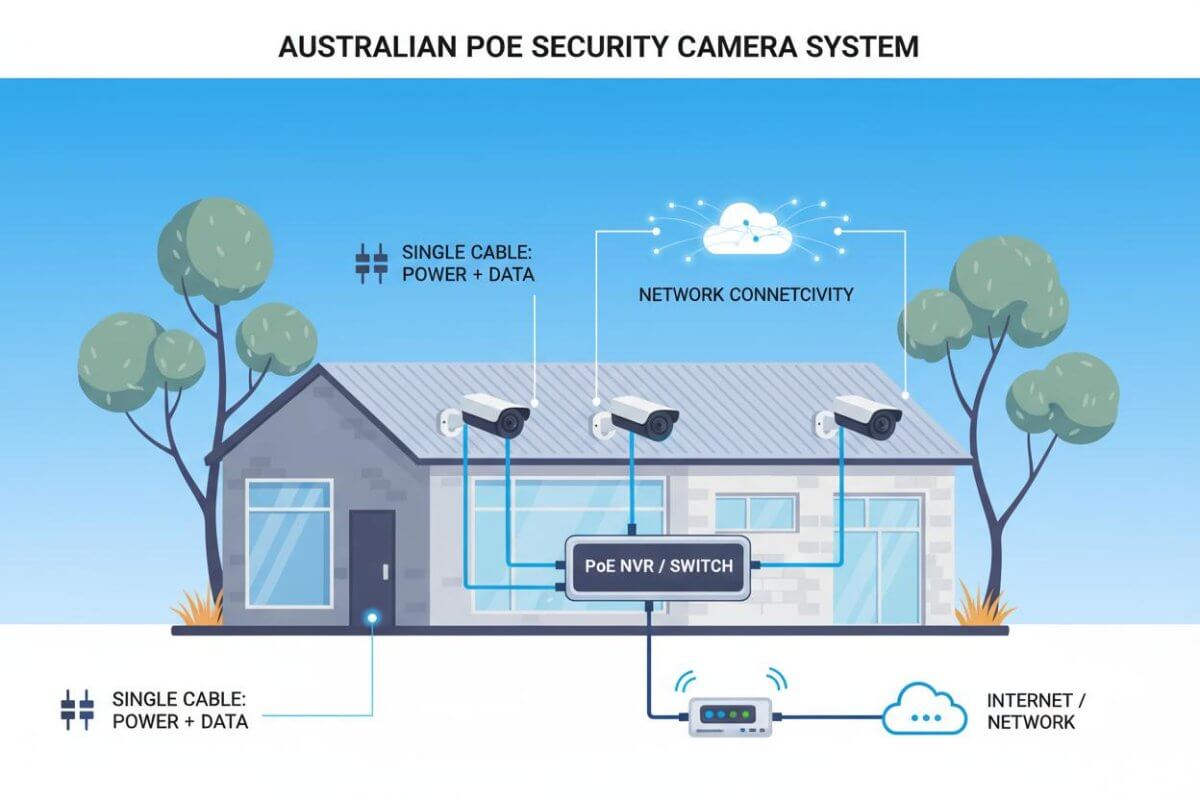
Every cable run (data points, access points, cameras, intercom) needs somewhere to terminate. A dedicated communications cupboard or rack location, sometimes just a recessed cavity with a power point, keeps networking equipment, the modem, switches, and any security recorder in one place, rather than spread across cupboards and skirting boards.
Deciding on this location early also determines how far cable runs need to travel, which can affect both cost and cable performance.
Questions worth raising with your builder or electrician
If you’re mid-build or planning a renovation, these are worth raising before the walls close up:
- Where will the WiFi access points go, and is data cable being run to each location?
- Is conduit being included alongside cabling, so future upgrades don’t mean cutting into walls?
- Is there a dedicated spot (cupboard, cavity, or rack) for networking and security equipment to live?
- Are camera and sensor positions being planned now, even if the system itself is installed later?
- Are there enough power points near planned equipment locations, rather than relying on adapters?
Related reading: Wi-Fi & Networking | CCTV & Security Cameras | New Build Pre-Wiring
Planning a build or renovation and not sure what to ask for?
A Jim’s Antennas technician can talk through your floor plan and recommend a pre-wiring setup that covers Wi-Fi, entertainment, and security, before the walls go up. Book a consultation online or call 131 546.