Why Install a Data Point in Your Home?
In today’s digital age, many homes rely on Wi-Fi for everything from streaming movies to gaming. However, as more devices connect to your network, it can result in slower speeds, dropped connections, and lag. One way to alleviate this problem and optimize your home entertainment system is by adding a wired data point.
Installing a data point can reduce Wi-Fi traffic and improve performance.
Why Add a Data Point to Your Home Entertainment System?
With multiple smart devices streaming content, playing games, or simply connected to the internet, Wi-Fi traffic can become overloaded. By adding a wired data point (Ethernet port), you can:
Reduce Network Congestion
Offload devices from your Wi-Fi network to a wired connection, freeing up bandwidth for other devices.
Improve Speed and Stability
Wired connections are generally faster and more stable than Wi-Fi, providing better performance for streaming, gaming, or working.
Reduce Interference
Wi-Fi signals can suffer from interference, especially in crowded networks. A wired connection ensures a consistent, interference-free connection.
Tips for Maximising Performance
Use Cat 6 or Cat 6a Cables
These cables are capable of higher speeds and are designed for more efficient data transfer, ensuring the best performance for your devices.
Avoid Long Cables
Try to keep Ethernet cables relatively short to prevent signal degradation over longer distances.
Position Your Router Properly
Ensure your router is positioned in an optimal location to provide good coverage for the rest of the home.
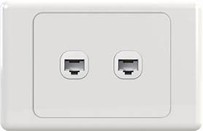
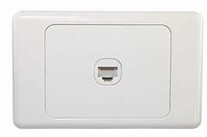
Here at Jim’s Antennas, we have the know how and technical skill to install 1 or many data points in your home or business.
Head to www.jimsantennas.com.au or call 13 15 46 and have one of our trained technicians carry out the work for you!