Why Is My Free-to-Air TV Reception So Bad? Common Causes of Poor TV Reception and How to Fix It
Free-to-air (FTA) TV is supposed to be simple. You plug in the TV, connect the antenna, and relax with your favourite shows. But when your screen starts pixelating, channels disappear, or the sound cuts out, it can quickly go from relaxing to frustrating.
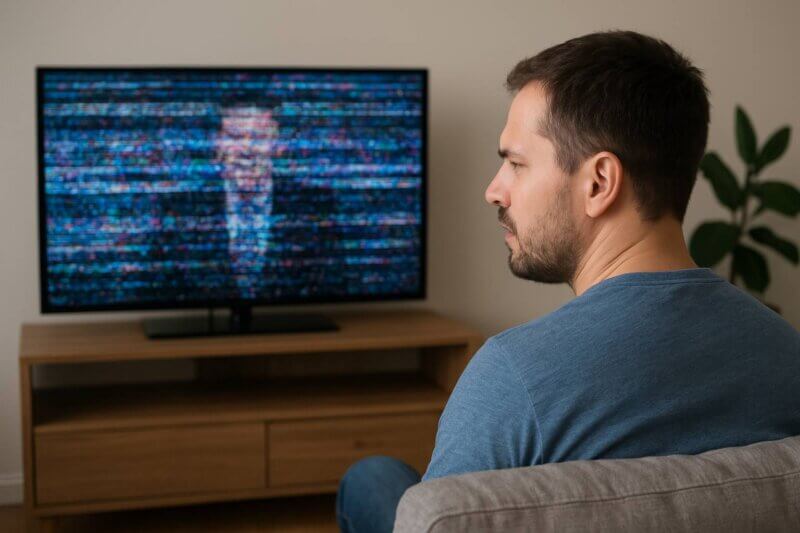
At Jim’s Antennas, we help thousands of Australians get their TV reception sorted every year. Here’s a look at the most common causes of poor reception and what you can do to fix them.
1. Poor Antenna Positioning
The most common culprit? Your antenna isn’t facing the right direction. FTA signals are broadcast from specific towers, and your antenna needs to be pointed towards the nearest one. If it’s even slightly off-angle, your reception can suffer.
This can be caused by a number of factors:
Poor initial installation: It was never aligned to the correct broadcast tower in the first place.
Weather: Wind and rain have caused your antenna to come loose from the mast and it’s now swung around in the wrong direction.
Growth: Environmental (trees etc.) or urban (buildings etc.) growth could now be blocking your antennas line of sight to the nearest tower, resulting in it now being in the wrong position.
Fix it : Use the government tool mySwitch to find the best direction based on your location. If you’re not confident climbing on the roof or adjusting a mast, call in a professional from Jim’s. We will use our digital signal meter to ensure your antenna is correctly aligned to the best tower for your area, we won’t just rely on guesswork.
2. Old or Damaged Antennas
TV antennas and their related componentry (inc. cabling & connectors) have a lifespan, especially in Australia’s harsh sun, wind, and coastal weather. If your antenna system is more than 10–15 years old, or showing signs of rust and wear, it’s probably time for a replacement.
Fix it : Inspect your antenna from the ground. If it looks bent, rusted, or parts are missing, it’s likely time to upgrade. Newer digital antennas are better suited for modern broadcasting.
3. Loose or Faulty Coaxial Cables
A simple loose cable or corroded connector can be the difference between crystal-clear TV and a blank screen. Over time, cables & connectors can degrade, especially if exposed to moisture or pests.
Fix it : If you can, and it’s safe to do so, check every connection from the antenna to the TV. Unfortunately, this will involve in getting on the roof and either inside the roof cavity or under the house (wherever your splitter is located). Make sure the coaxial cable is firmly connected and not frayed or kinked. Also check the length of the coaxial cable for any bite marks from birds (on the roof) or rodents (in the roof space or under the house) If in doubt, replace with high-quality RG6 coaxial cable and compression connectors as a digital standard.
4. Interference from Nearby Electronics
Microwaves, LED lights, and even Wi-Fi routers can cause signal interference, especially if your antenna system isn’t properly grounded or shielded.
This interference can be from your property or neighbouring properties, and isn’t just isolated to domestic appliances, it can be caused by 4G/5G signal towers, electric fences, UHF Radio Transmitters etc.
Fix it: Try turning off nearby devices to test for interference. Also, make sure your antenna system includes proper shielding and earthing. A technician from Jim’s can test your setup using specialised equipment. If the interference is caused by an external force outside of the property and the source can not be determined, Jim’s Antennas can get the ACMA involved to locate the source. Before the ACMA will attend, a technician needs to sign off that the property is digital compliant.
5. Splitters and Signal Loss
If you’re feeding multiple TVs from one antenna using splitters, signal strength can drop significantly. Every time you “split” the signal there is % of loss. The more TV’s you have, the greater the loss. Cheap or old splitters can also degrade your signal even further.
Fix it: If you’re running a significant amount of TV points within the property consider installing a distribution amplifier to maintain signal strength. Or better yet, upgrade to a properly balanced splitter system designed for digital TV.
6. Obstructions Blocking the Signal
Large trees, new buildings, or even solar panels can block or reflect TV signals, leading to pixelation, dropouts, or total loss of channels.
Fix it: If possible, trim tree branches or relocate your antenna to a higher point. Sometimes moving the antenna just a metre or two makes all the difference. In built up areas a different transmission tower with a cleaner line of sight might be the answer. These however may not be operating on the same frequency (VHF vs UHF) and may require a new Antenna system to fix your TV reception issues.
7. Outdated Tuning
Sometimes your TV simply needs a refresh. Digital broadcasting updates can shift channel frequencies.
Fix it: Run a full channel scan from your TV’s menu. If channels are still missing, try a factory reset and scan again. Still no luck? Your signal might be too weak or your antenna misaligned.
8. Incompatible TV’s
Some Digital TV Channels are no longer broadcast in the old SD format of MPEG2, and are now only available in MPEG4 format. If you have an older TV or set top box that isn’t capable of receiving MPEG4 – you maybe able to hear a TV Channel but there will be no accompanying picture.
Fix it: You will need to upgrade your current set up, whether that be a new TV or set top box. Jim’s Antennas are able to best advise what will work best for you and source these products for you if you’re feeling overwhelmed by all the different technologies and sizes in the market. Sometimes bigger isn’t always best!
A Clear Picture, Guaranteed
TV should just work. If you’re tired of fiddling with cables, adjusting antennas, and missing your favourite shows, give Jim’s Antennas a call.
We’ve been installing, repairing, and optimising antennas across Australia for over 20 years. Whether you’re in a city apartment or a regional farmhouse, we know what works and how to make your free-to-air reception reliable.

When to Call the Experts
If this all sounds to hard, or in some cases too dangerous for you to try and fix yourself or ff you’ve tried these fixes and are still dealing with pixelating screens or disappearing channels, it might be time for a professional diagnosis. Our techs use spectrum analysers and signal meters to pinpoint exactly what’s wrong—no guesswork involved.
We’ll make sure you have the right antenna for your area, correct alignment, digital compliant cabling & connectors, and strong signal strength to every room.
Book your antenna health check today and get your TV reception sorted once and for all.
Contact Jim’s Antennas today to transform your home entertainment experience!
Call: 131 546 • Website: https://www.jimsantennas.com.au